Dogs
AI dog dance video generator
Upload one photo of your dog, pick a dance template, and get a short video of the dog performing the template’s moves. The credit cost follows the template you pick and is shown before you generate.
- A photo of your dog
- Pick a template
- Priced per template second
JPG / PNG only, up to 4.7 MB, from 480×480 to 1920×1080 pixels (either orientation).
Pets, cartoon characters and AI-generated characters only. No photos of real people.
Checking that generation is available.
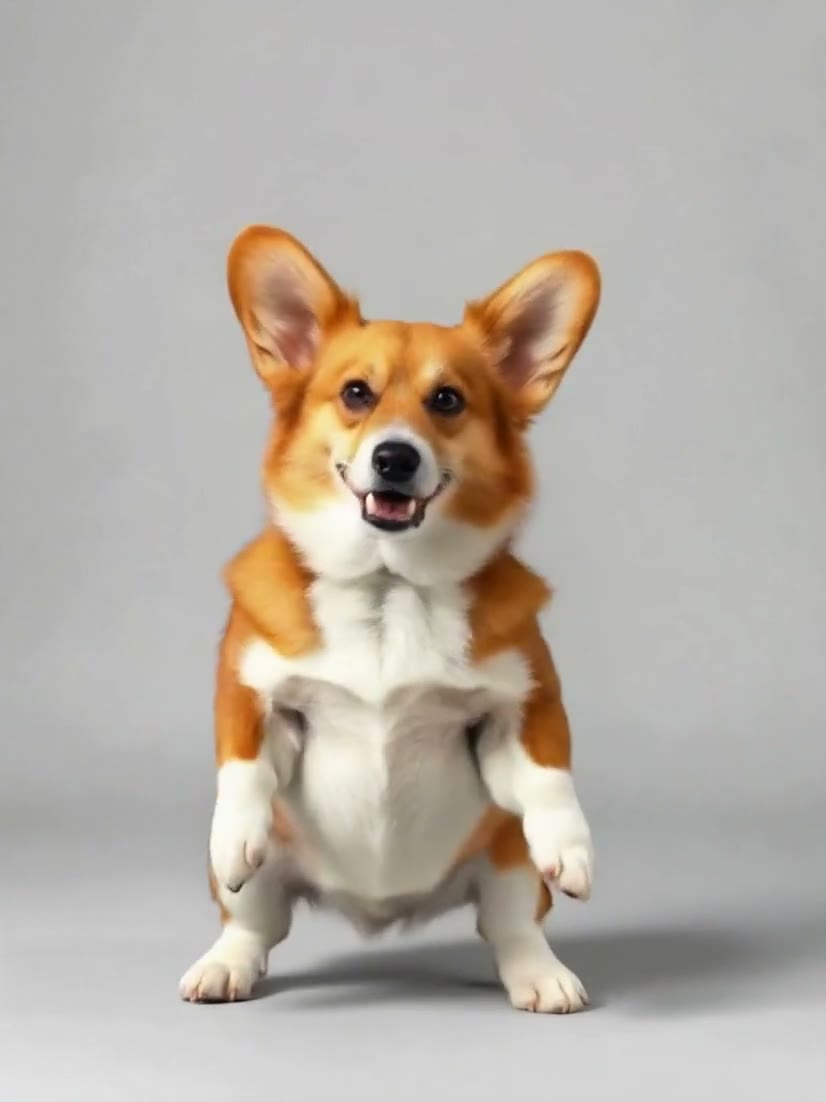
Corgi, side steps and spin: DreamActor v25.1s · 3:42026-10-11
01
How does an AI dog dance video work?
You upload one photo of a dog and choose a template, which is a short driving clip. A motion-transfer model is asked to make the dog in your photo follow the motion in the clip, and returns a new video. The clips recorded here used one AI-generated corgi, so the site cannot tell you how another dog will look in one. Photos of people are not accepted.
- You give
- A dog photo and a template
- Photo
- JPG or PNG, up to 4.7 MB
- Charged for
- The template’s length
02
How to make your dog dance here
Upload one photo
JPG or PNG, up to 4.7 MB, between 480×480 and 1920×1080 pixels in either orientation. A larger photo is scaled down in your browser before it is sent. WebP is not accepted by the default model.
Pick a template
Each template is a short driving clip. The subject in your photo is asked to follow its motion. You choose from the list; you cannot upload your own video here.
Tick the box and generate
Confirm that the photo shows a pet, a cartoon or an AI-generated character and not a real person. The credit cost for that template is shown before you generate, and it is charged when the request is accepted.
Download the MP4
The finished clip appears in your workspace and in My videos, private to your account. If a generation fails, the credits come back automatically.
03
How this site works
What you can count on here, and what you should not expect.
The price before you pay it
A clip is priced per second of the template you pick, so the quote changes with the template. The exact figure is on screen before you generate.
Failed jobs are refunded automatically
If a generation fails, the credits come back on their own. A finished clip that plays but that you do not like is still charged.
A rule about photos, not a detector
Pets, cartoon characters and AI-generated characters only. Photos of real people are not accepted, and you confirm this with a tick box before each generation. This is a rule you agree to; the site does not scan your photo to check it, so the responsibility for what you upload is yours.
What is not offered here
Uploading your own driving video, choosing a clip length, writing a prompt for the default model (it has no prompt field), and photos of real people.
No results promised
The clips on the home page were all made from one AI-generated corgi photo. A different photo or template, or a pet that looks different, can come out differently, and nothing here promises how your result will look.
04
What a clip costs here
The charge is the template’s length in seconds times the model’s rate: 12.5 credits per second for the default model, DreamActor v2, and 31.5 for Kling 3.0 Motion Control. The table lists every template. Packs and plans are on the pricing page.
| Model | Template | Length | Credits | With the smallest pack |
|---|---|---|---|---|
| DreamActor v2 | Side steps, spin and jump | 5 s | 63 | $0.63 |
| DreamActor v2 | Relaxed hip-hop groove | 5 s | 63 | $0.63 |
| DreamActor v2 | Disco routine, diagonal points | 10 s | 125 | $1.25 |
| DreamActor v2 | Victory dance, fists overhead | 5 s | 63 | $0.63 |
| DreamActor v2 | Arm waves, low squat and a bow | 10 s | 125 | $1.25 |
| DreamActor v2 | Babydoll-style routine | 10 s | 125 | $1.25 |
| Kling 3.0 Motion Control | Side steps, spin and jump | 5 s | 158 | $1.58 |
| Kling 3.0 Motion Control | Relaxed hip-hop groove | 5 s | 158 | $1.58 |
| Kling 3.0 Motion Control | Disco routine, diagonal points | 10 s | 315 | $3.15 |
| Kling 3.0 Motion Control | Victory dance, fists overhead | 5 s | 158 | $1.58 |
| Kling 3.0 Motion Control | Arm waves, low squat and a bow | 10 s | 315 | $3.15 |
| Kling 3.0 Motion Control | Babydoll-style routine | 10 s | 315 | $3.15 |
05
Dog dance questions
What kind of dog photo can I use?
Any photo of a dog that meets the file rules: JPG or PNG, up to 4.7 MB, between 480×480 and 1920×1080 pixels. The recorded clips all used one corgi photo, so we cannot say which photos work best.
Will my dog look like itself in the video?
In the four clips recorded here (see the home page), the AI-generated corgi kept its look and followed the template’s moves. That is one corgi photo, so it says nothing certain about your dog.
Can I choose how long the video is?
No. The length is the length of the template you pick, and you are charged for that.
Is a photo of a person with a dog accepted?
No. Photos that show real people are not accepted. You confirm this before each generation.
Make your dog dance
Upload a photo and pick a template. The credit cost is shown before you generate.