Cartoon baby characters
AI baby dance with cartoon baby characters
Pick one of the four 3D-cartoon baby characters made for this site, choose a dance template, and get a short video of the character dancing. You can also upload your own cartoon or AI-generated character. Photos of real people and real children are not accepted. The shortest template, 5 seconds, costs 63 credits.
- Four cartoon characters included
- Pick one: no upload needed
- Not for photos of real children
JPG / PNG only, up to 4.7 MB, from 480×480 to 1920×1080 pixels (either orientation).
Pets, cartoon characters and AI-generated characters only. No photos of real people.
Checking that generation is available.
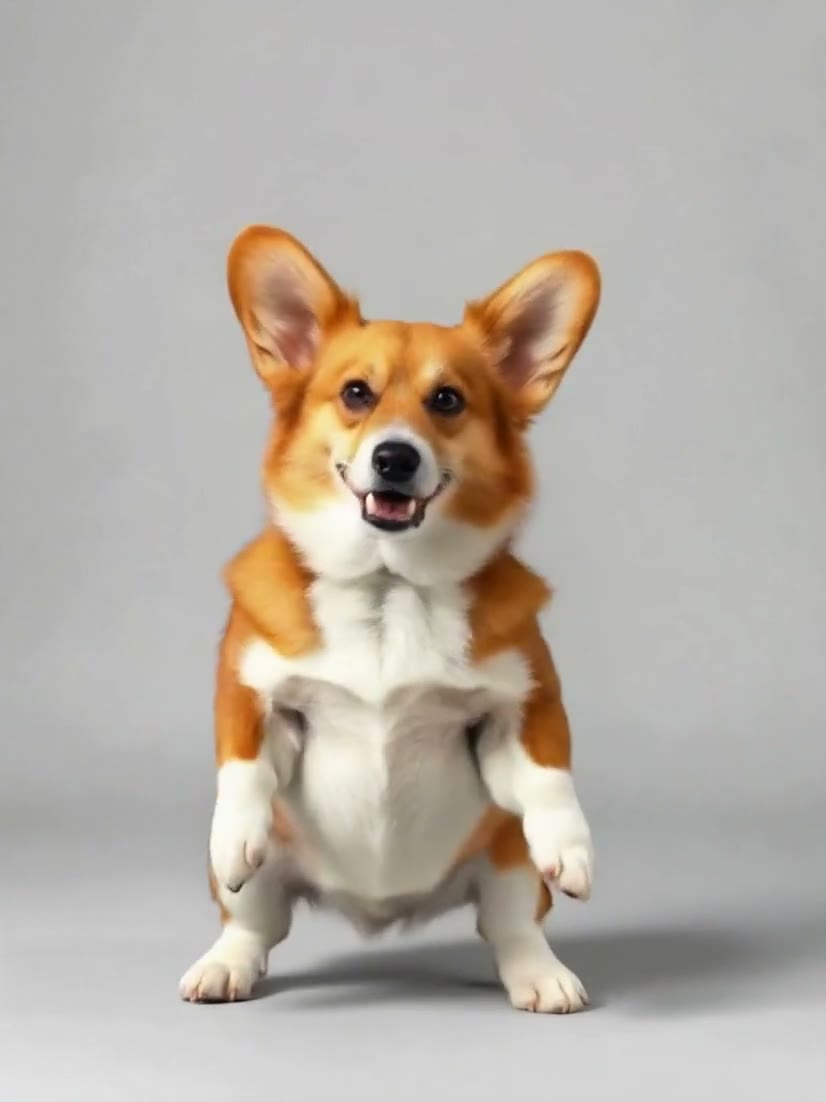
Corgi, side steps and spin: DreamActor v25.1s · 3:42026-10-11
01
How to make an AI baby dance video
Pick a character
Choose one of the four included cartoon characters (yellow onesie, blue dungarees, pink bear hoodie, green dinosaur onesie), or upload your own cartoon or AI-generated character. JPG or PNG only, up to 4.7 MB, from 480×480 to 1920×1080 pixels (either orientation). Never a photo of a real person or a real child.
Choose a dance
A short template is selected when the page opens: a 5-second clip costs 63 credits (about $0.63 at the smallest pack). The longer ones are in the same list; each is charged for its own length.
Generate and download
Generate, and download the MP4 from your workspace. The credits are charged when the request is accepted and come back automatically if the generation fails. A character you pick needs no upload and no confirmation; an image you upload needs the tick box.
02
The characters and the dances
Four characters of our own
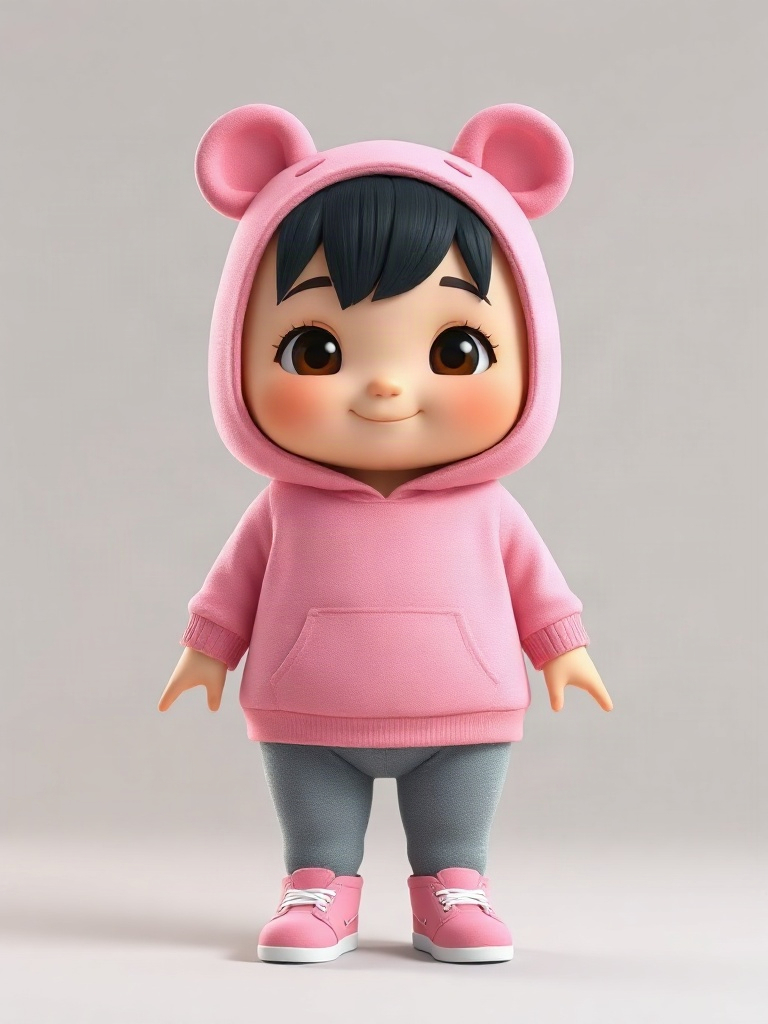
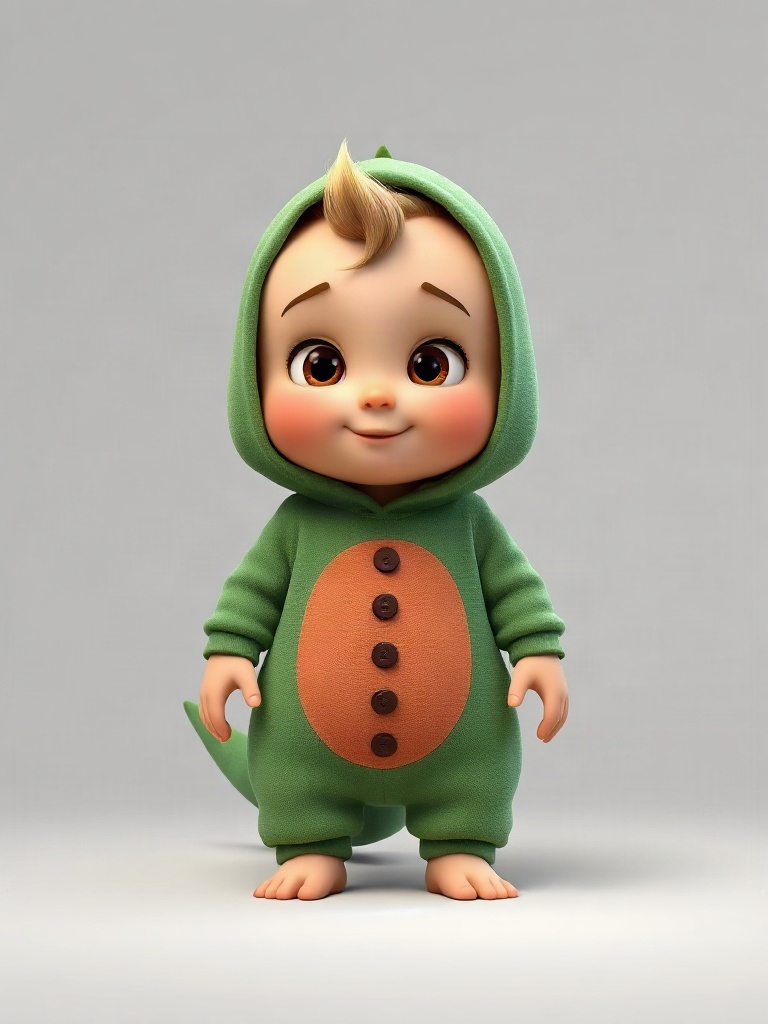
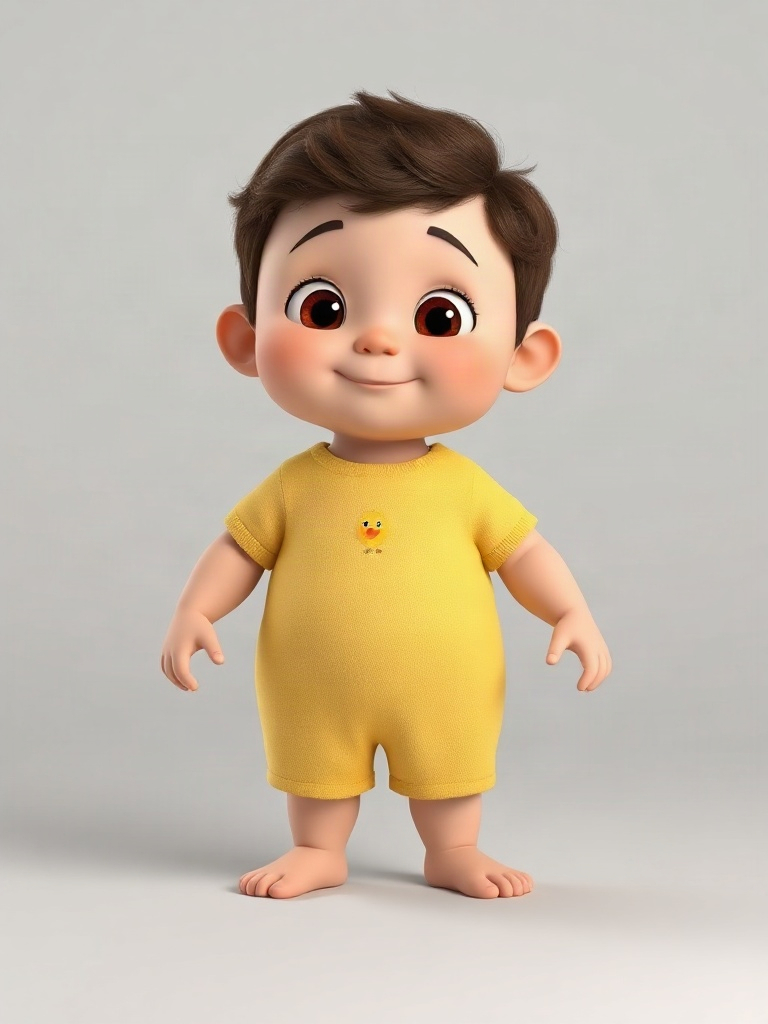
4 AI-generated 3D-cartoon baby characters, full body on a plain grey background: yellow onesie, blue dungarees, pink bear hoodie, green dinosaur onesie. They are the site’s own cartoon characters, not photos of anyone, and you can use any of them without uploading anything.
Your own character
You can upload a cartoon or AI-generated baby character of your own. The upload box asks you to confirm before each generation that the image is a pet, a cartoon or an AI-generated character and not a real person. A photo of a real child is a photo of a real person and is not accepted.
The dances
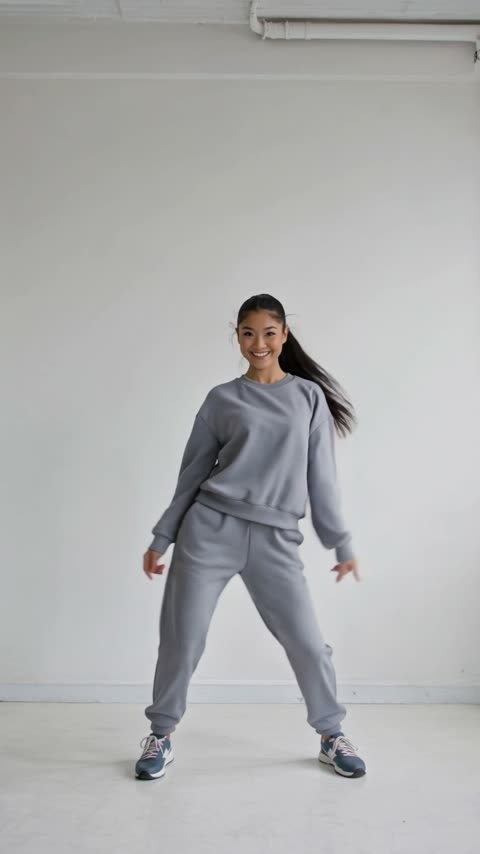
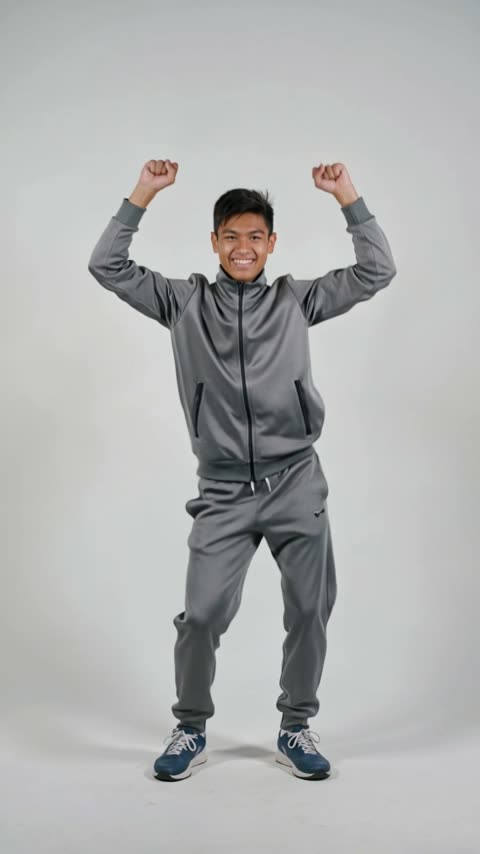
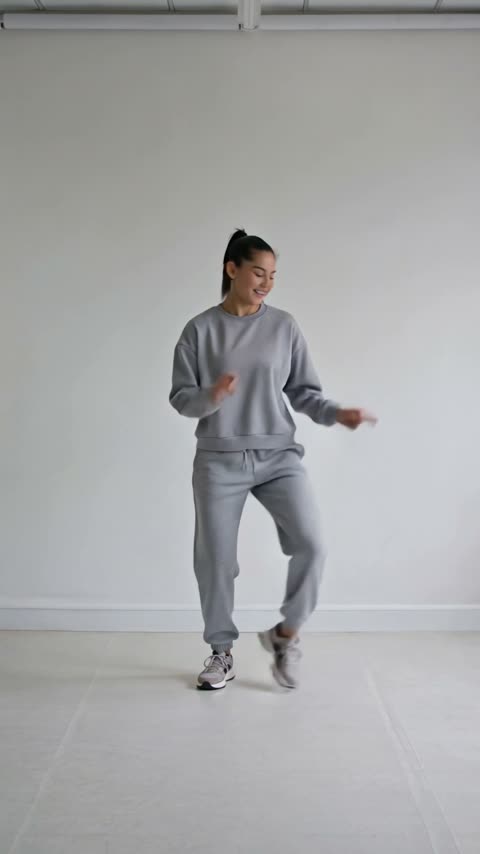
Victory dance, fists overhead (5 s), Relaxed hip-hop groove (5 s), Side steps, spin and jump (5 s), Disco routine, diagonal points (10 s), Arm waves, low squat and a bow (10 s), Babydoll-style routine (10 s). The templates are our own AI-generated reference clips, and the character is asked to follow their moves.
No music
The templates are silent and so is your result. Add the sound in your editor or on the platform where you post.
03
Cartoon baby dance clips made here
Real outputs made on this site with DreamActor v2 through fal.ai, from the site’s own cartoon characters. Each shows the character, the template and its receipt. The note under each says what held up and what did not; it is one character per clip, so they do not predict your result.
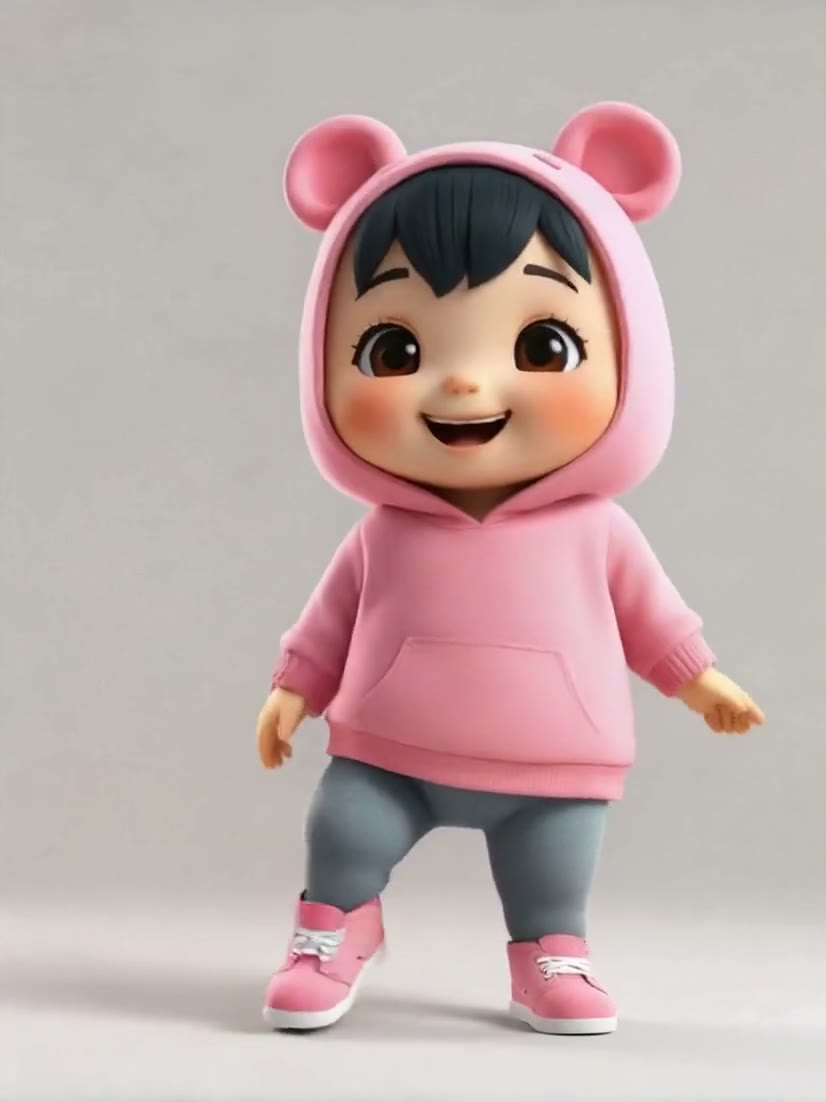
Scene 01
Cartoon character in a pink bear-ear hoodie, disco routine: DreamActor v2
The character keeps its hoodie, bear ears and sneakers through the 10 s disco template, diagonal arm points included. The clip runs 10.14 s at 826×1102, with a silent audio track.
Photo
Template
Disco routine, diagonal points · 10 s
Receipt
- Model
- DreamActor v2
- Template
- Disco routine, diagonal points · 10 s
- Length
- 10.14 s, charged as 10 s
- Output
- 826×1102 · Sound Off
- Generated
- 2026-10-11
- Took
- 210 s
- Provider cost
- $0.50
- Here
- 125 credits
- Request
- 01a12b83-f387-7800-b190-7cb0e2724141
Scene 02
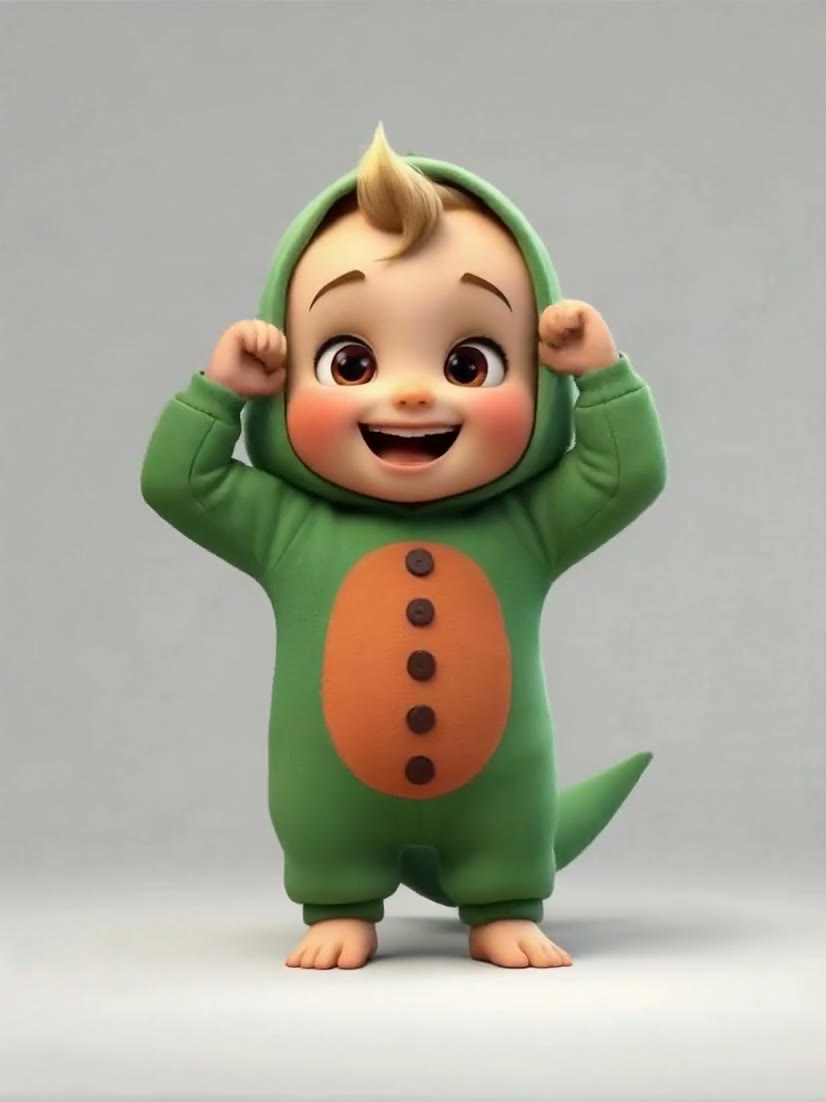
Cartoon character in a green dinosaur onesie, victory dance: DreamActor v2
The character keeps its dinosaur onesie, tail included, and follows the 5 s template: fists pumping overhead, then arms out wide. The clip runs 5.14 s at 826×1102, with a silent audio track.
Photo
Template
Victory dance, fists overhead · 5 s
Receipt
- Model
- DreamActor v2
- Template
- Victory dance, fists overhead · 5 s
- Length
- 5.14 s, charged as 5 s
- Output
- 826×1102 · Sound Off
- Generated
- 2026-10-11
- Took
- 144 s
- Provider cost
- $0.25
- Here
- 63 credits
- Request
- 01a12b87-3d57-7103-994d-89f8bf289ecd
Scene 03
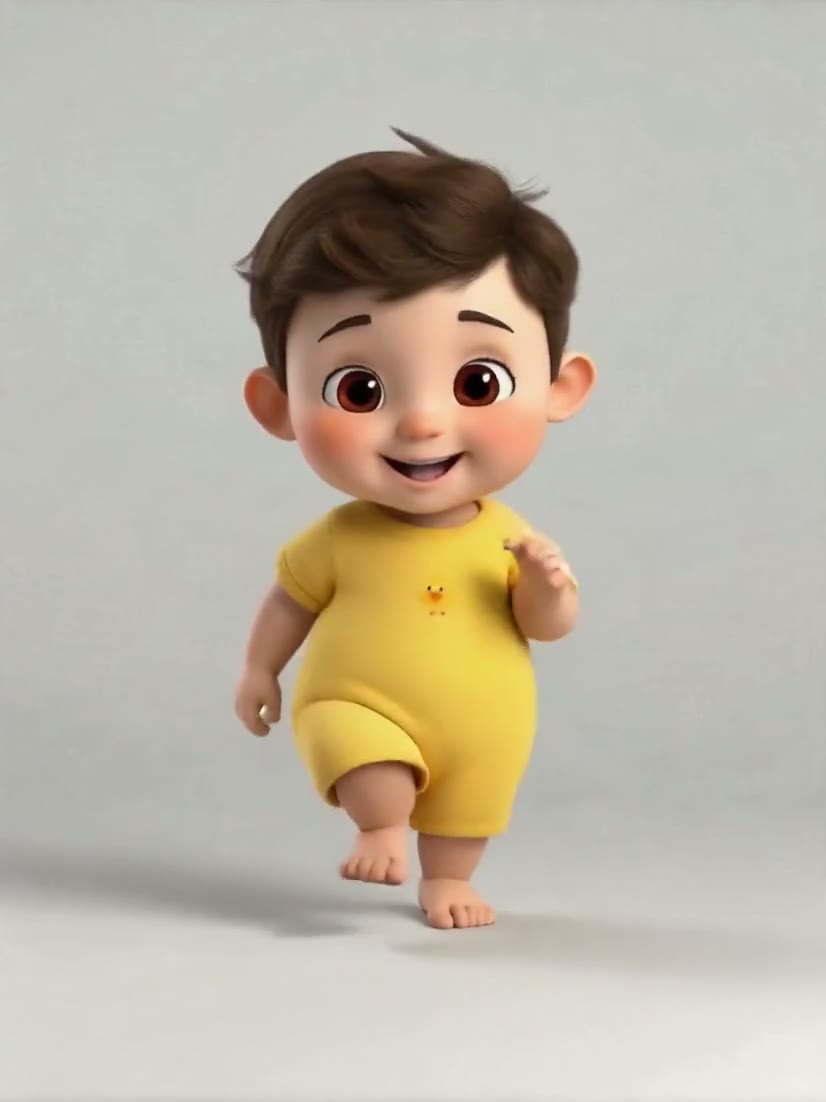
Cartoon character in a yellow onesie, Babydoll-style routine: DreamActor v2
One of the site’s own cartoon characters, picked with one tap, through the same 10 s routine. The character keeps its face, hair and onesie as it steps, turns to each side and raises an arm. The clip runs 10.14 s at 826×1102, with a silent audio track.
Photo
Template
Babydoll-style routine · 10 s
Receipt
- Model
- DreamActor v2
- Template
- Babydoll-style routine · 10 s
- Length
- 10.14 s, charged as 10 s
- Output
- 826×1102 · Sound Off
- Generated
- 2026-10-11
- Took
- 198 s
- Provider cost
- $0.50
- Here
- 125 credits
- Request
- 01a12b80-c4d6-7121-b9a6-02243a3a1176
04
What it costs
The charge is the template’s length in seconds times 12.5 credits on the default model, DreamActor v2. A 5-second clip costs 63 credits (about $0.63 at the smallest pack); a 10-second clip costs 125 credits (about $1.25 at the smallest pack). The table lists every template and both models. There is no free allowance: every clip is paid for with credits. Packs and plans are on the pricing page.
| Model | Template | Length | Credits | With the smallest pack |
|---|---|---|---|---|
| DreamActor v2 | Side steps, spin and jump | 5 s | 63 | $0.63 |
| DreamActor v2 | Relaxed hip-hop groove | 5 s | 63 | $0.63 |
| DreamActor v2 | Disco routine, diagonal points | 10 s | 125 | $1.25 |
| DreamActor v2 | Victory dance, fists overhead | 5 s | 63 | $0.63 |
| DreamActor v2 | Arm waves, low squat and a bow | 10 s | 125 | $1.25 |
| DreamActor v2 | Babydoll-style routine | 10 s | 125 | $1.25 |
| Kling 3.0 Motion Control | Side steps, spin and jump | 5 s | 158 | $1.58 |
| Kling 3.0 Motion Control | Relaxed hip-hop groove | 5 s | 158 | $1.58 |
| Kling 3.0 Motion Control | Disco routine, diagonal points | 10 s | 315 | $3.15 |
| Kling 3.0 Motion Control | Victory dance, fists overhead | 5 s | 158 | $1.58 |
| Kling 3.0 Motion Control | Arm waves, low squat and a bow | 10 s | 315 | $3.15 |
| Kling 3.0 Motion Control | Babydoll-style routine | 10 s | 315 | $3.15 |
05
AI baby dance questions
Is it free, and what does it cost?
There is no free allowance: every clip is paid for with credits. A 5-second template costs 63 credits (about $0.63 at the smallest pack) and a 10-second one 125. The credits are charged when the request is accepted, and a failed generation is refunded automatically.
What kind of image works best?
For your own upload: a cartoon or AI-generated character that meets the file rules (JPG or PNG only, up to 4.7 MB, from 480×480 to 1920×1080 pixels (either orientation).). The four included characters are 768×1024 full-body images on a plain grey background, and those are the only characters recorded here, so we cannot say which other images work best.
How long does it take?
The 8 clips recorded on this site took between 26 and 222 seconds from request to finished file, on both models and with 5 and 10 second templates. That is all that is known: no time is promised, and yours can be shorter or longer. You can leave the page; the finished clip appears in My videos.
Do I need a reference video?
No. Pick a template from the list; each is a short clip we generated. You cannot upload your own driving video here.
Can I post it to TikTok, Reels or Shorts, and is there a watermark?
Yes, download the MP4 and post it where you like. This site adds no watermark or overlay: the clip is the provider’s MP4 as it came back, checked to be a valid MP4 and stored unchanged, and none showed in the clips recorded here. The terms say the clips you generate are yours to use, within the rights in your inputs and the provider’s conditions. Many platforms ask you to label AI-generated video, and our acceptable use policy asks the same; check each platform’s rules.
Why does my result look odd?
Motion-transfer models can drift: paws, hands, feet, limbs, clothing details and fur or pattern can change shape or flicker during fast moves, and a result can differ from the picture you put in. The recorded clips’ notes say what held up and what did not in each one. A finished clip you do not like is still charged; only failed generations are refunded.
Which dances are available?
Victory dance, fists overhead (5 s), Relaxed hip-hop groove (5 s), Side steps, spin and jump (5 s), Disco routine, diagonal points (10 s), Arm waves, low squat and a bow (10 s), Babydoll-style routine (10 s).
May I upload a photo of my child?
No. Only pets, cartoon characters and AI-generated characters are accepted. A photo of a real child is a photo of a real person, which this site does not accept; you confirm that before each generation of an uploaded image. Use one of the four included characters instead.
06
Whose images, and what happens to them
Pets, cartoons and AI-generated characters only
No photos of real people and no photos of real children. The four baby characters on this page are the site’s own cartoon characters. For an image you upload, you confirm the rule with a tick box before each generation and the server refuses a request without it. It is a rule you agree to, not a detector: the site does not look at your image.
What happens to an uploaded image
On the live site an image you upload passes through our server to the video provider’s temporary storage (fal.ai), which this site asks to expire it after 7 days; our server keeps no other copy of it. The provider reads it to make your clip. The record of your clip keeps the image’s address, which stops working once the file expires. We have not checked how or when the provider actually deletes the file, and the provider’s own privacy information applies to it. The characters on this site are files of our own and are not uploaded. Finished clips are kept in our private storage, open only to your signed-in account; the site has no automatic deletion for them, so to have a clip or your account removed, email us (see the privacy policy).